GI4 ·MIO ·PRODUCTION UNDER CONTROL ·DATA KEPT IN-HOUSE

Understand your production. Know where to act.

GI4 connects your machines and collects production data.
Downtime, recipes, batches and energy use: all in one system.

Let's talk about your plant

The problems it solves

From downtime to recipes: start with the problem you want to solve.

A real case

OEE at 66%. Almost 15 hours waiting for material.

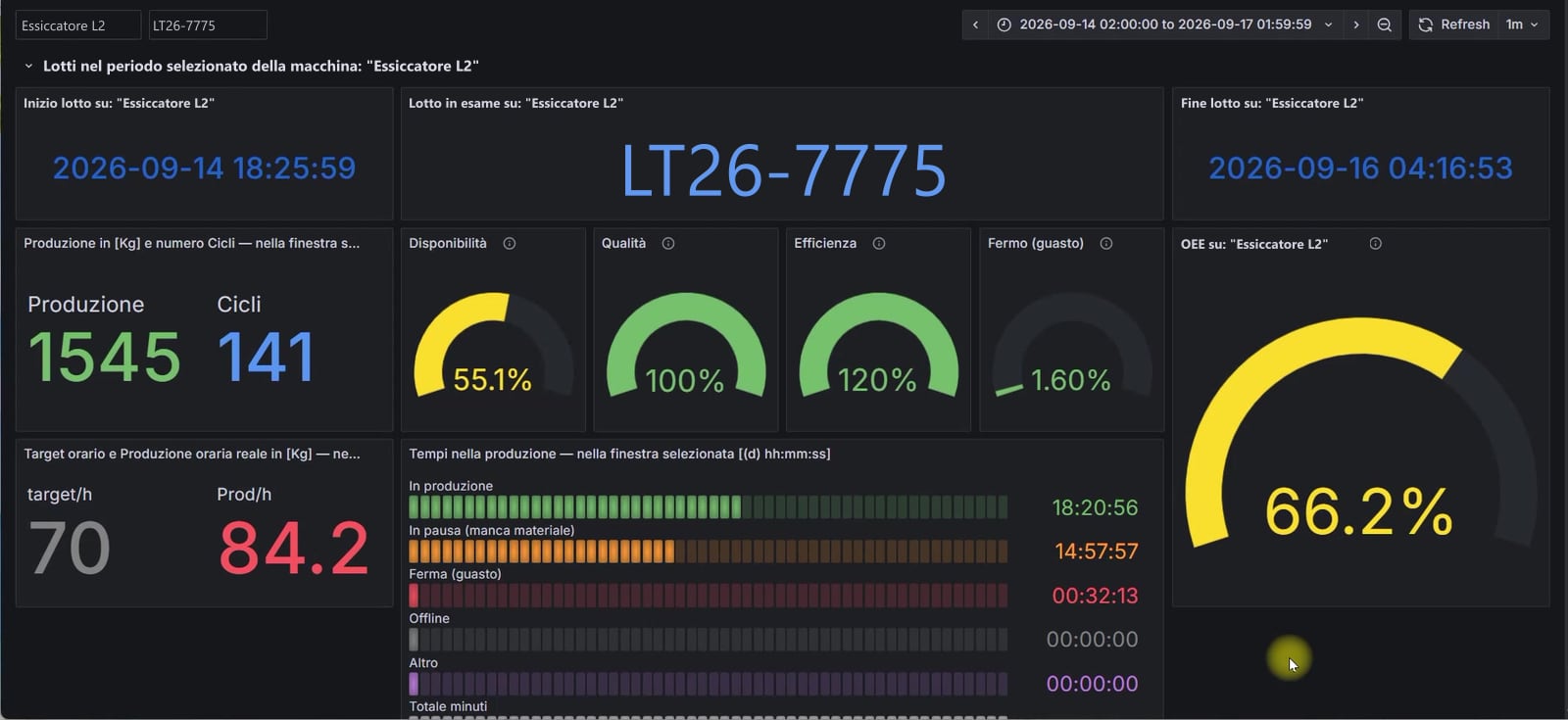
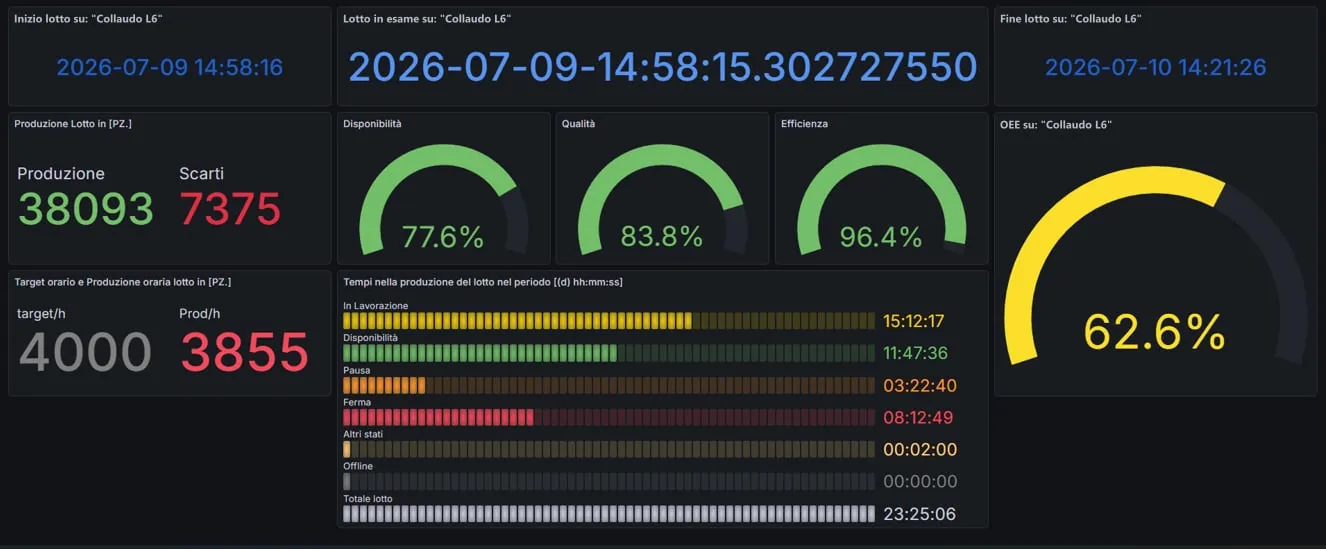
A three-day batch on a dryer. Overall equipment effectiveness (OEE) was 66.2%. The recorded times show where time was lost.

  • 55.1%Availability
  • 100%Quality
  • 120%Performance
  • 1.6%Breakdown time
  • 66.2%OEE

Where the time went

  • Producing18:20:56
  • Paused, no material14:57:57
  • Stopped by a fault0:32:13

The machine ran 20% faster than target, with no rejects. Faults accounted for around half an hour; waiting for material took almost 15 hours. The priority was the material supply to the line.

Explore this case
MIO: the dryer’s batch OEE, with indicators and production, pause and stop times
Open the screenshot at full size
MIO: the dryer’s batch OEE, with indicators and production, pause and stop times

How GI4 is built

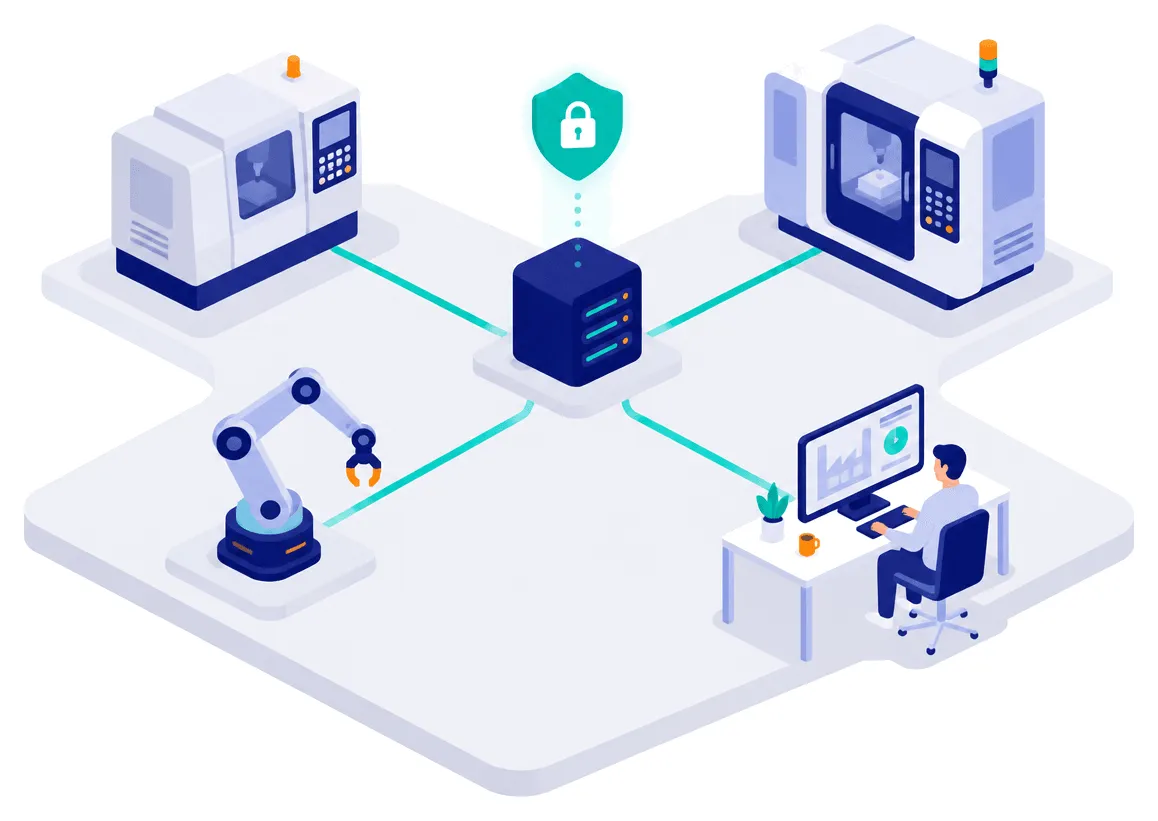
GI4 collects and stores data in-house. Manage production in the GI4 app and analyse results in MIO. Access both through your browser.

Your machines

  • PLCs and operator panels
  • OPC UA · S7 · Modbus
  • Added sensors, where needed

always reads · writes only when the machine is stopped

The GI4 core, in-house

  • Data collection
  • Production records
  • Measurement history

On your company server or a preconfigured NAS. No cloud required.

MES and ERP

MQTT · OPC UA · HTTPS · databases · files

  • Manages

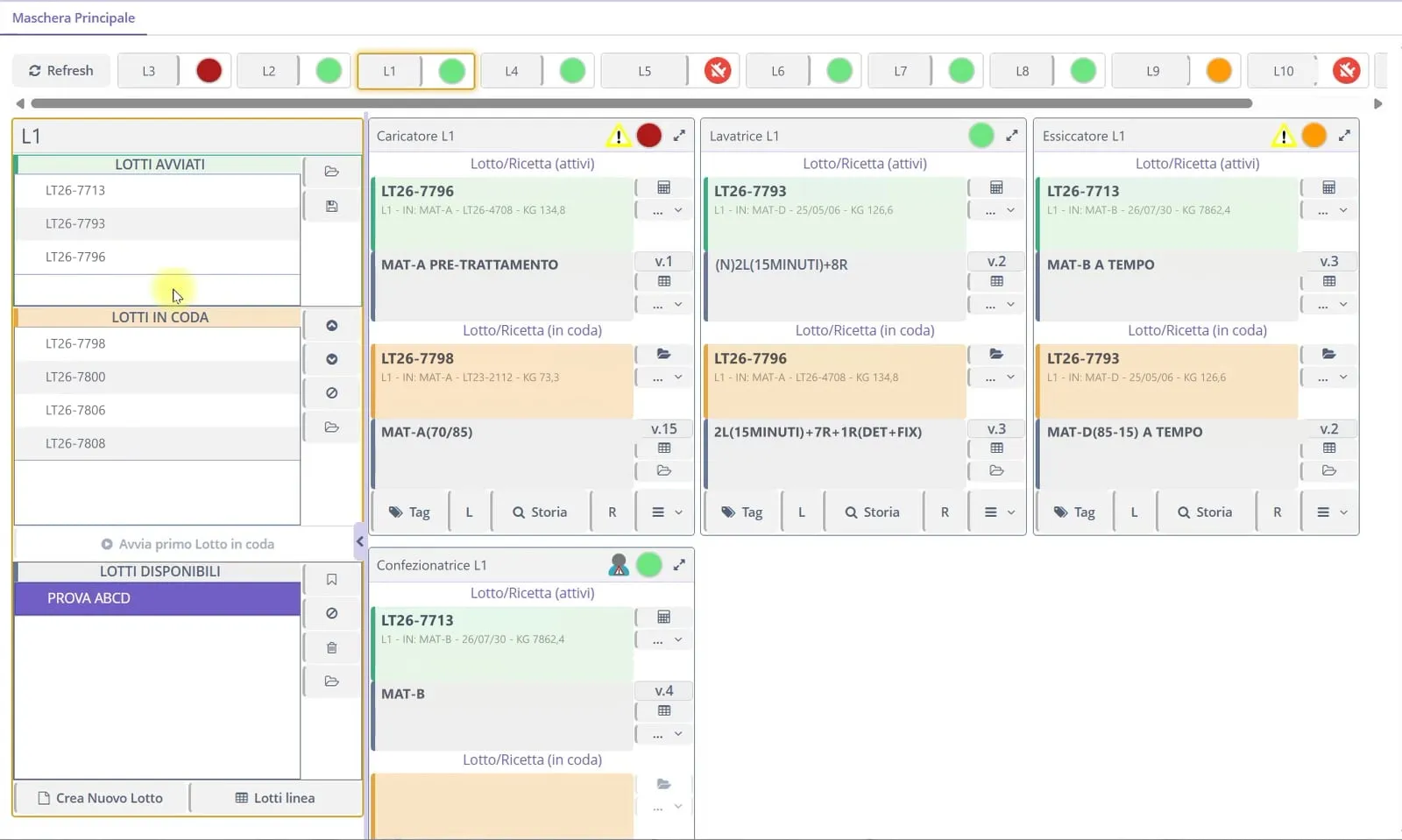
    GI4 app

    Batches, recipes, parameters, users, downtime causes.

  • Analyses

    MIO

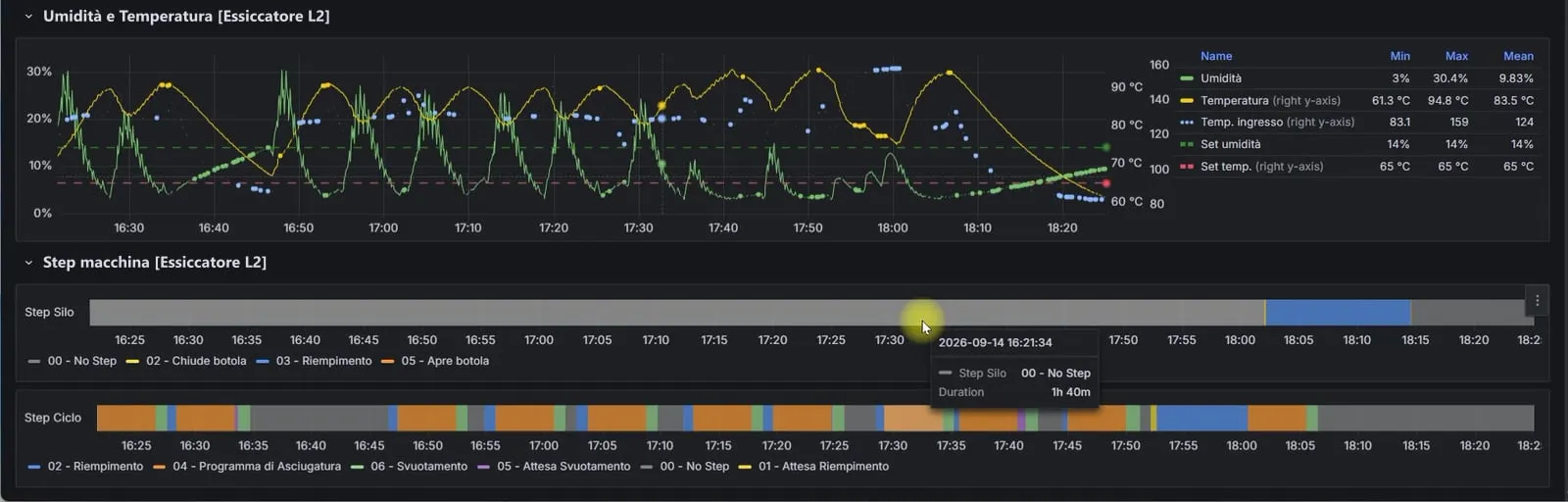
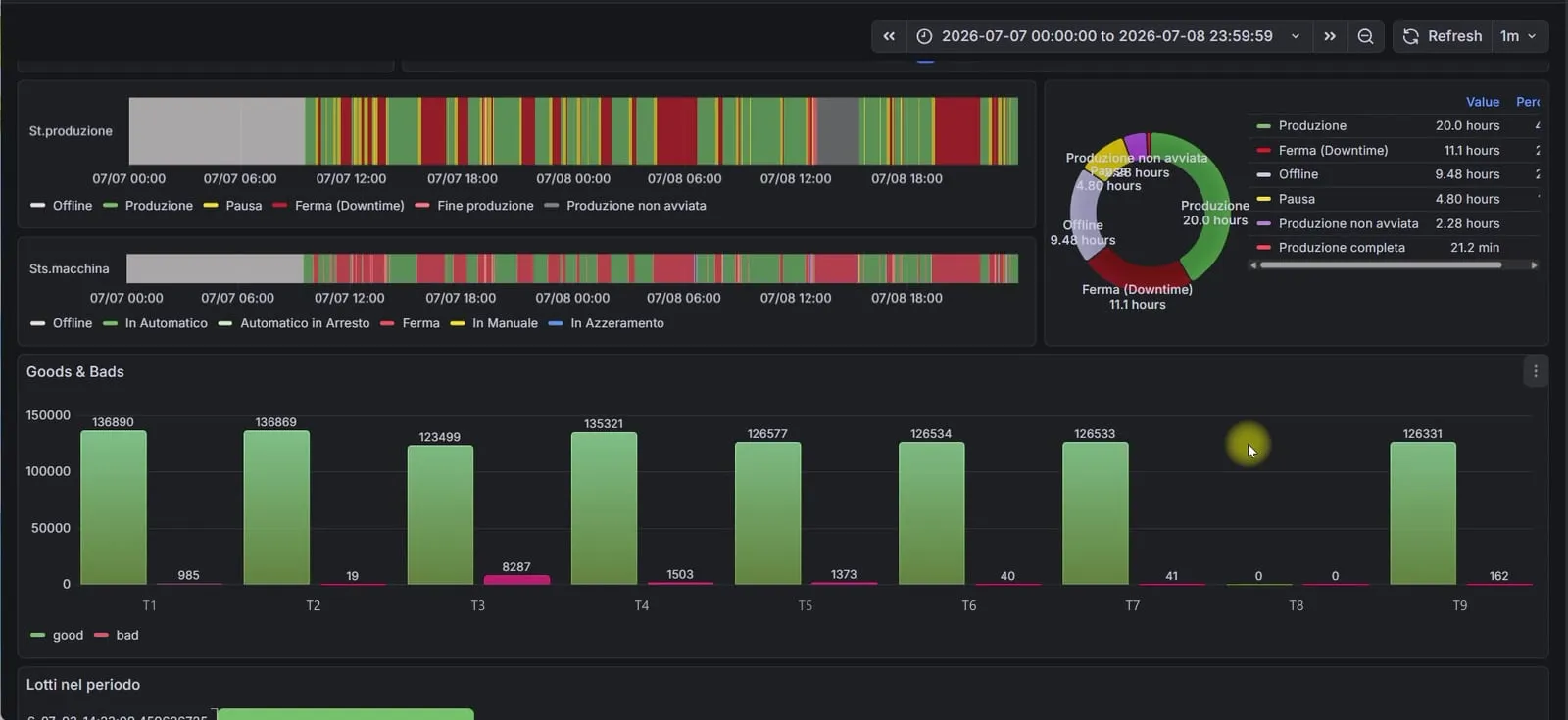
    Dashboards, OEE, per-piece quality, energy use. Included.

  • Recogniseswhen needed

    KID

    The operator, with a personal RFID key.

  • Answerswhen needed

    AI agent

    Queries the data with knowledge of the plant.

Connecting machines and systems

Working with GI4

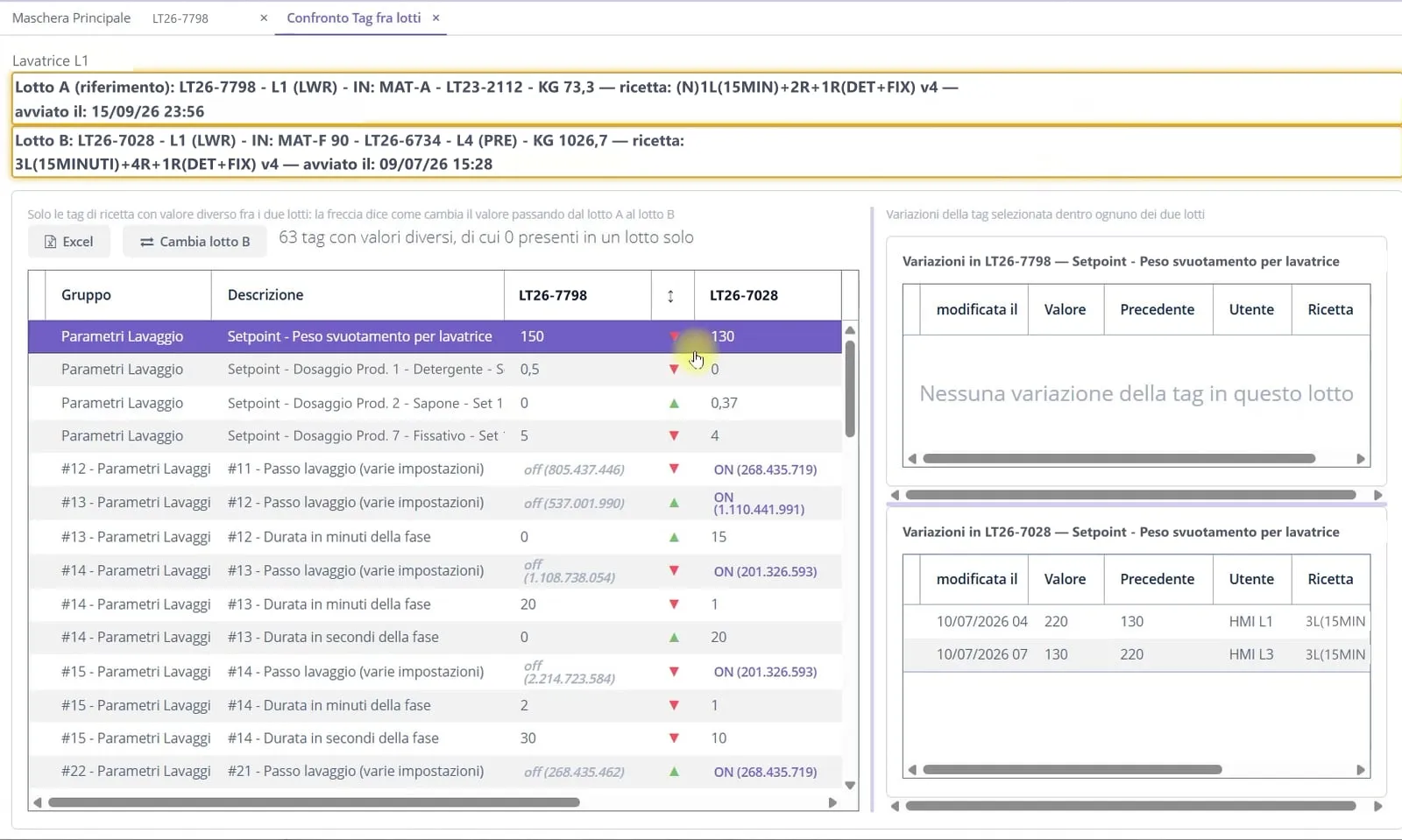
  1. Keep using the machine panel

    GI4 works alongside the controls your operators already know.

  2. Keep a record of machine trials

    When you change a value on the panel, GI4 records the difference without automatically correcting it.

  3. Trace every change

    See which parameter changed, who changed it and which batch was running.

  4. Choose the parameters to watch

    The shop floor decides which values matter most for its work.

  5. Decide when to send a recipe

    Saving does not change machine values. Sending requires an explicit command and a stopped machine.

  6. Configure data collection

    A file defines the lines, machines and data to collect.

  7. Buy once, with no subscription

    Your data stays in-house. No per-user or per-device licences.

  8. Build a history you can use

    GI4 records from day one. Over time, you have more batches, measurements and changes to compare.

Let’s start with your machines.

Tell us what you want to improve. Together, we check which data we can collect and how to connect your plant before preparing a quote.

  • 8plants in operation
  • 4industries
  • 28machines connected in the largest installation, across 11 lines