Two batches, different results. What changed?
Compare settings and changes made during each production run. Trace every change to its value, operator, recipe and batch.
Let's talk about your plant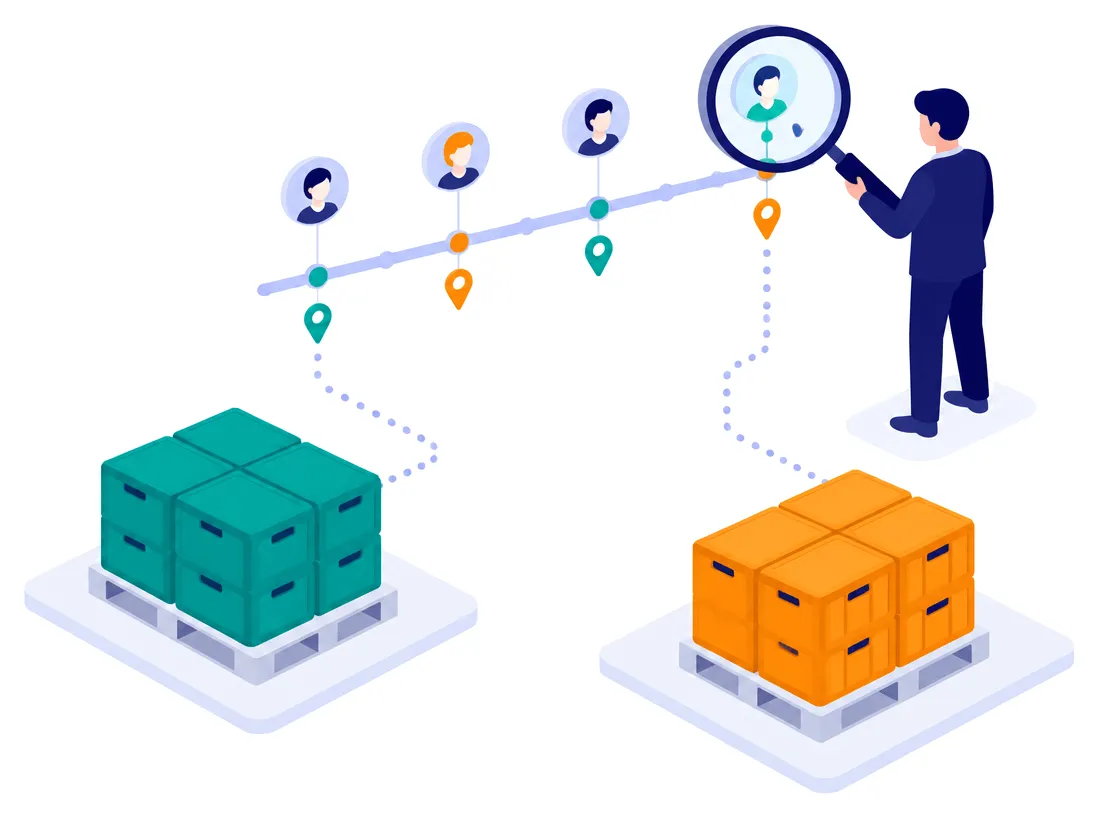
The questions on this page
- “Why did these two batches turn out differently?”See what changed during production
- “Who changed that value, and when?”Find who changed a value
- “Make me March’s batch again.”Start a production run from a previous batch
- “Is the next batch ready?”Prepare batches and choose their order
- “I already have a system that decides what to produce.”Choose how to manage batches
The problem
“Why did these two batches turn out differently?”
See what changed during production
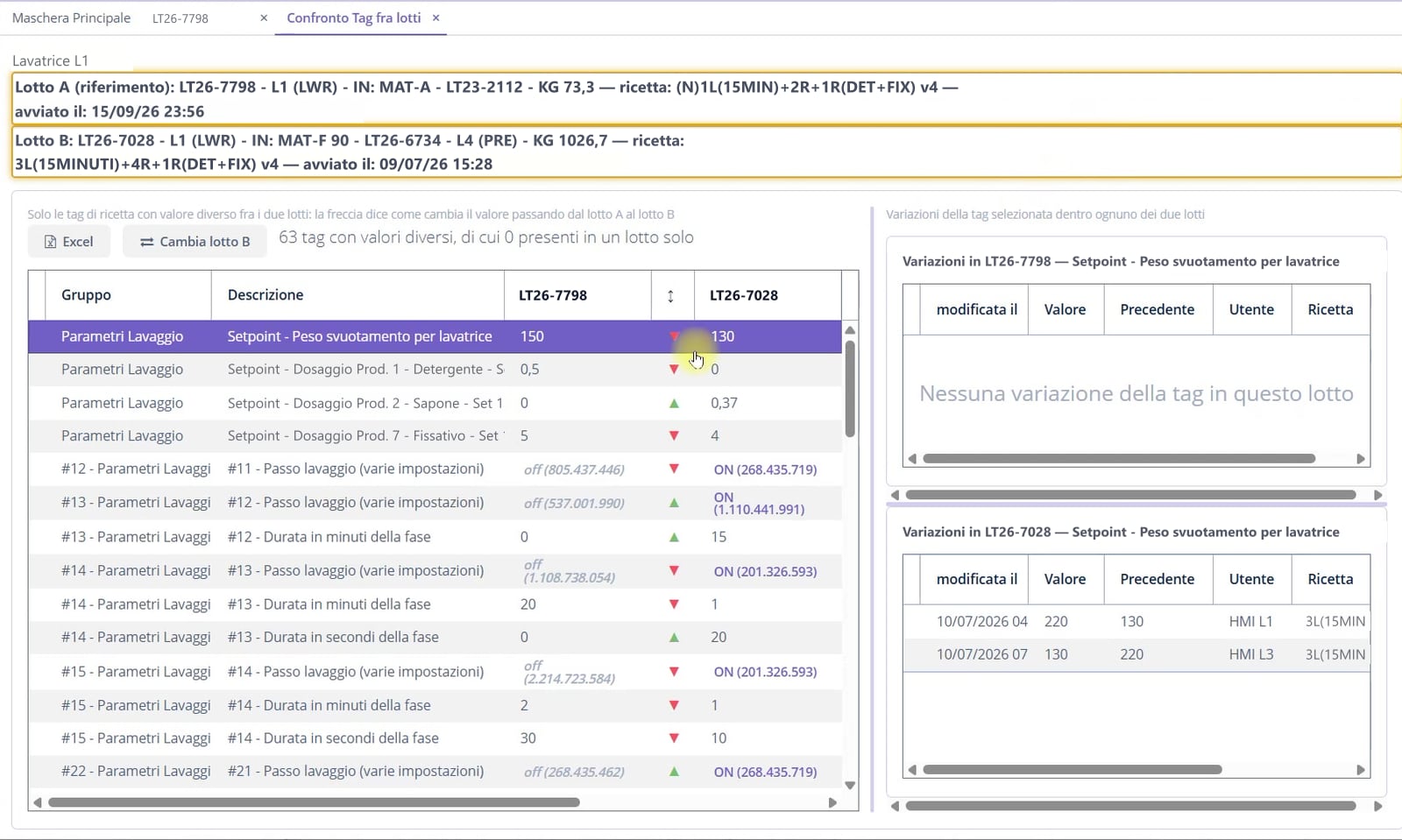
Select two batches: GI4 shows the parameters that differ and how they changed.
Open each parameter’s history for both batches. Find trials never saved to a recipe, with the operator and recipe active at the time of the change.
The problem
“Who changed that value, and when?”
Find who changed a value
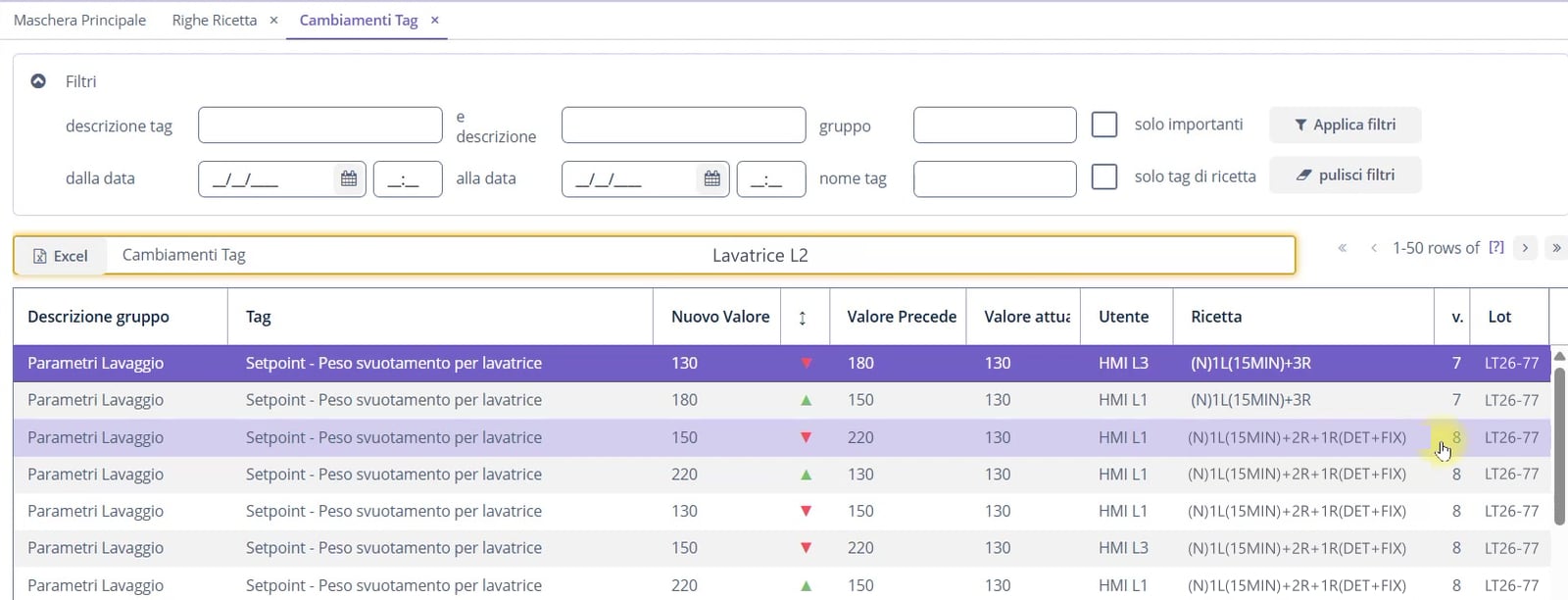
Each change records the previous and new values, user, date, time, batch and recipe. Filter the history and export the results.
GI4 distinguishes values sent by the system at batch start from changes made during production.
The problem
“Make me March’s batch again.”
Start a production run from a previous batch
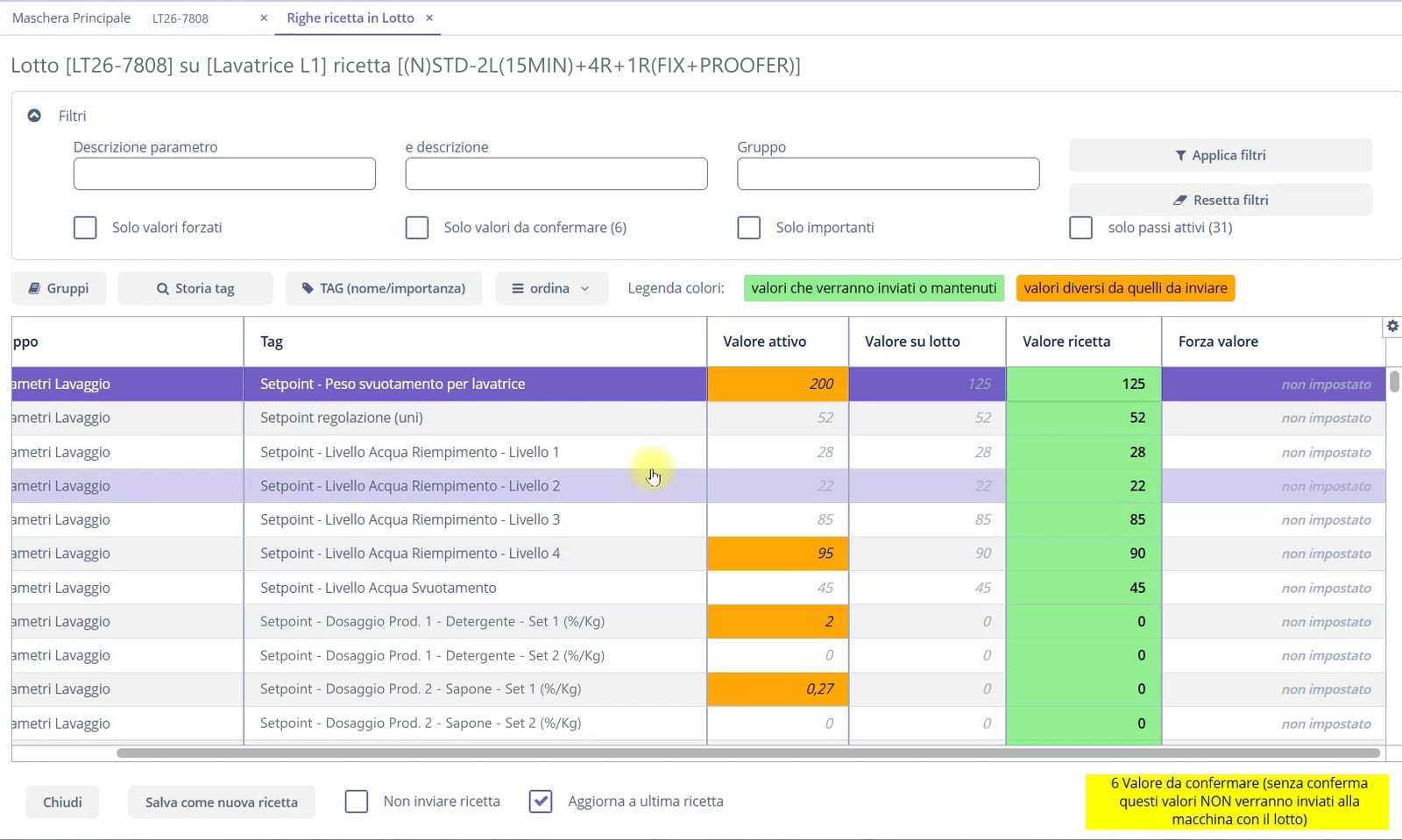
When creating a batch, you can select a source batch to duplicate. GI4 copies the recipes and versions used on each machine. You can then adjust the new batch to suit your needs.
Keep the original versions, select current ones, change a recipe or exclude a machine. You can also set a value for that batch only, without changing the recipe.
Before starting, compare machine values with those to be sent. Creating a batch requires a code and an hourly production target for OEE calculation. Without a source batch, GI4 proposes the current recipes.
The problem
“Is the next batch ready?”
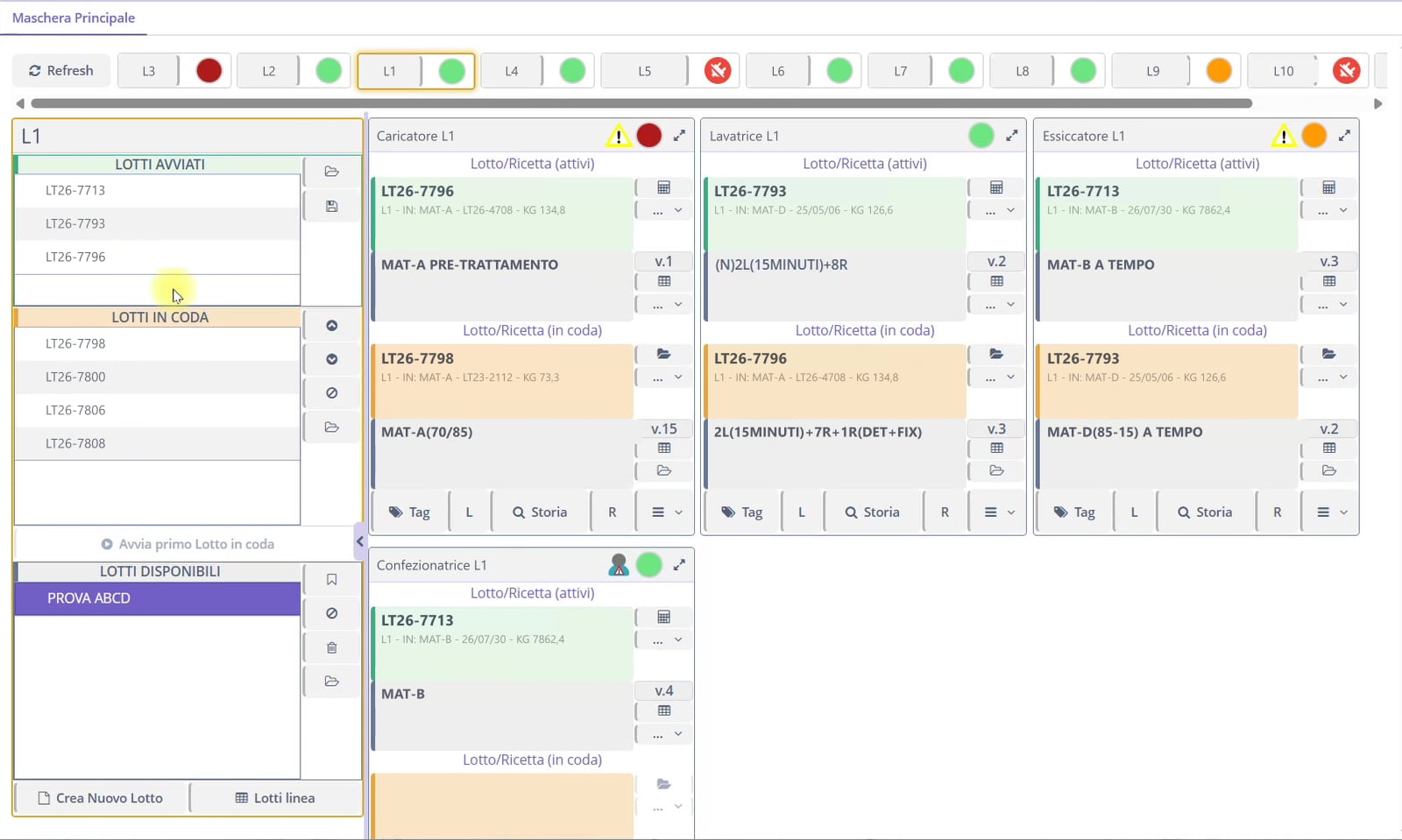
Prepare batches and choose their order
An available batch can still be edited. Once queued, it is ready for the next batch change. Reorder the queue until the batch has been processed.
Configuration can provide one batch for the whole line or separate batches per machine, with simultaneous or sequential recipe changes. Only the shift supervisor can reopen a completed batch; the new run is added to its history.
The problem
“I already have a system that decides what to produce.”
Choose how to manage batches
GI4 can manage production, receive orders from your business system or simply record what happens. Choose the mode to suit the plant.
- Active
- Create batches and sequences in GI4 and send them to the line or individual machines.
- Active/passive
- The MES or ERP decides what to produce. GI4 receives batches, products and recipes and sends them to machines.
- Advanced passive
- GI4 generates batches and products from the date or recipe, following configured rules.
- Passive
- GI4 reads the batch and product from the machine and records data without intervening.

At a glance
- Changes recorded with values, operator, recipe and batch
- Batch comparisons including changes made during production
- New batches from a source batch, editable before starting
- Available, queued and running batches by machine or line
- Independent batch management or MES integration
Other topics
 OEE and downtime Find production losses: times, stops and causes.
 Recipes and parameters Retrieve recipe versions and compare them with the machine.
 MIO: dashboards and analysis Read settings, measurements, rejects and consumption together.
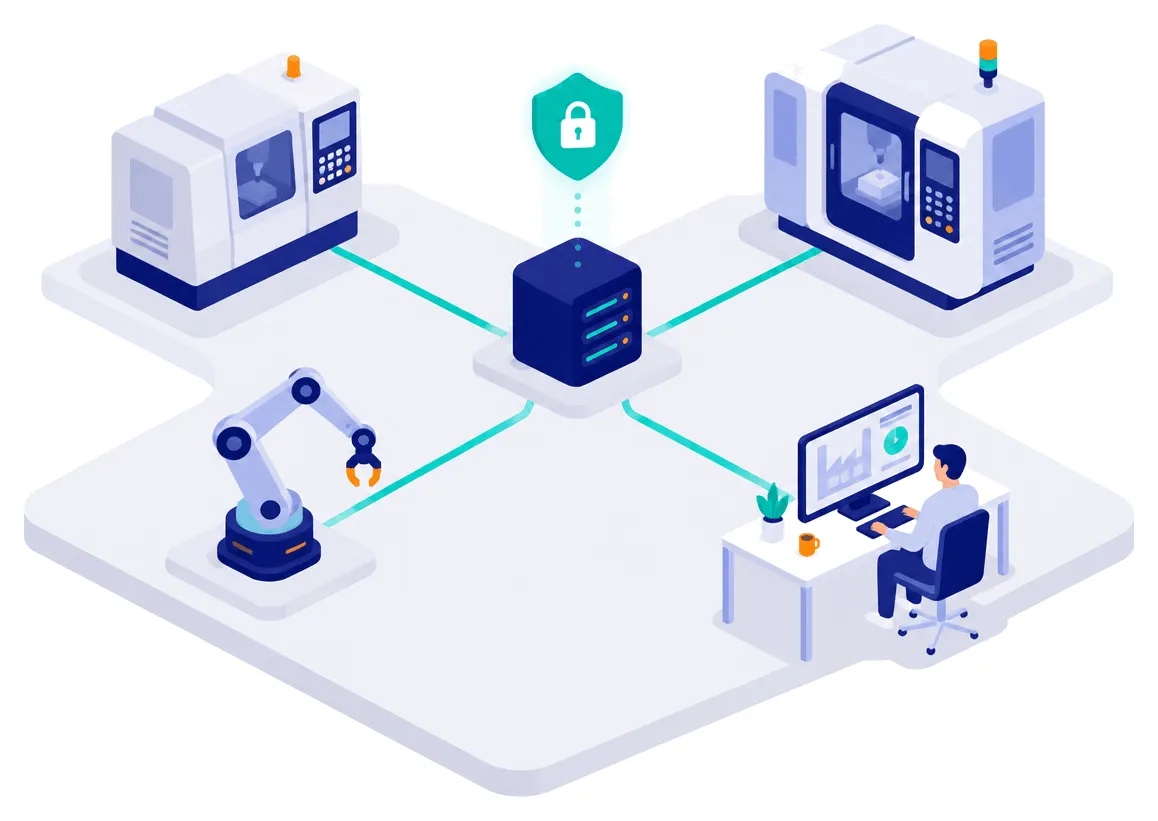 Connecting machines and systems Connect machines and business systems, with data kept in-house.
 Operators and access Identify operators and trace their changes.
Let’s start with your machines.
Tell us what you want to improve. Together, we check which data we can collect and how to connect your plant before preparing a quote.
- 8plants in operation
- 4industries
- 28machines connected in the largest installation, across 11 lines